Stop Guessing and Start Planning Your Backup Power
Backup power for outages should not be a guess. When storms roll in, lights go dark, food starts to warm up, phones drop to low battery, and work stops. That is a stressful time to realize you have no real plan for what your portable power station can actually support.
Many people just buy a big battery and hope it is enough. Sometimes it is, sometimes it is not, and the difference comes down to planning. With a simple watt-hour budget and a short list of priorities, you can know what will run, for how long, and what you need to shut off.
Here at Generator Vault, we like to keep it simple. We will walk through how to sort your appliances, figure out watt-hours, estimate runtime, and then choose the right size portable power station or solar kit for the next outage.
Know Your Power Priorities Before the Lights Go Out
The best time to plan your backup power for outages is when the grid is still on. You want a clear list of what matters most so you are not making rushed choices in the dark.
Start by sorting your loads into two groups. Your "must have" list should cover the basics you need to stay safe, protect food, and keep critical devices running, while your "nice to have" list covers comfort and convenience items you can drop if the battery starts to run low.
- Must have:
- Basic lights in key rooms
- Phone charging and Wi‑Fi
- Fridge and freezer to protect food
- Medical devices like CPAP or oxygen support
- Sump pump or other safety gear
- Nice to have:
- Extra lights or lamps
- Fans for comfort
- TV and entertainment
- Small AC or space heater for one room
- Power tools or cooking gadgets
It also helps to think about how each device runs. Some items are continuous loads, which run for hours at a time, like Wi‑Fi routers, modems, laptops, small fans, and many medical devices. Other items are situational, like a microwave used for a few minutes or a fridge that cycles on and off.
For summer outages, this difference really matters. In hot weather, fridges and freezers run harder, fans stay on longer, and anyone who needs cooling for health reasons becomes a higher priority. Heat waves and early storms, including hurricane season along the coast, can also mean longer blackouts, so your must have list may expand to include more cooling and food protection.
Build a Simple Watt Hour Budget for Your Home
Once you know what you care about, it is time to put numbers next to each item. Do not worry, you do not need to be an electrician to do this.
You can find or estimate wattage by:
- Looking at labels on the back or bottom of devices
- Checking user manuals or spec sheets
- Searching the model number online
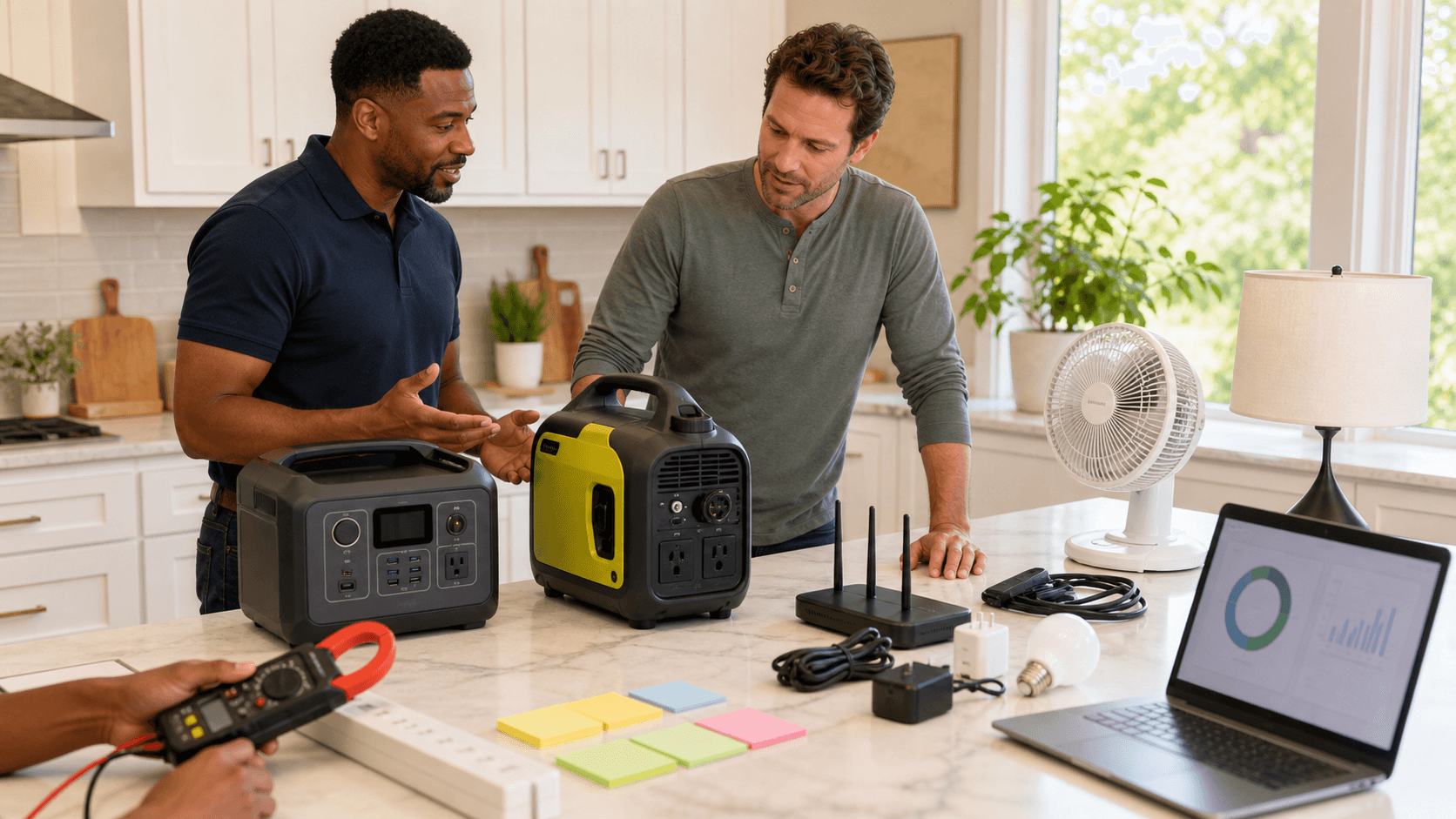
- Using a plug-in power meter to see real usage
Watts (W) tell you how much power something pulls at any moment, while watt-hours (Wh) tell you how much energy it uses over time. The basic formula is watt-hours = watts x hours of use.
Here is a simple example for a day of outage. The fridge number reflects that it does not run nonstop; it cycles on and off across the day.
- Fridge: 120 W while running, but it only runs about 8 hours across the day
- 120 W x 8 h = 960 Wh
- Wi‑Fi router and modem: 20 W, on 24 hours
- 20 W x 24 h = 480 Wh
- LED lights: 30 W total, on 5 hours in the evening
- 30 W x 5 h = 150 Wh
- Box fan: 50 W, on 6 hours
- 50 W x 6 h = 300 Wh
- Laptop: 60 W while charging, 4 hours on the charger
- 60 W x 4 h = 240 Wh
Daily total in this example is 960 + 480 + 150 + 300 + 240 = 2,130 Wh.
Also keep an eye on surge watts versus running watts. Some appliances, like refrigerators, freezers, and sump pumps, need a short burst of extra power to start the compressor. A unit might run at 120 W but surge to several times that for a second or two, so your portable power station must have an inverter that can handle both the running load and the startup surge without shutting down.
Estimate Real World Runtimes From a Portable Power Station
Now we connect your watt-hour budget to a real power station. Every model lists a battery capacity, often something like 500 Wh, 1000 Wh, or higher. Because of inverter and conversion losses, you usually get about 80 to 90 percent of that number as usable energy.
As a simple rule:
- A 1000 Wh battery gives roughly 800 to 900 Wh of usable power
- A 2000 Wh battery gives roughly 1600 to 1800 Wh usable
To estimate the runtime, divide usable watt-hours by your planned daily load. If your daily essentials total 1000 Wh and your power station has about 800 Wh usable, you can run that setup for most of a day if you are careful, or about half a day with some margin. If your daily budget is 2000 Wh and you still only have 800 Wh to work with, you will need to cut loads or recharge.
Using the 2,130 Wh daily total above, a 1000 Wh unit (about 800 Wh usable) could run that load for about a third of a day, so around 8 hours, before the battery is empty. A 2000 Wh unit (about 1600 Wh usable) could cover most of that day, but you may still want solar recharge or a smaller list of loads.
Some things drain batteries much faster than people expect, especially anything that makes heat or strong cooling. Common examples include fridges in very hot kitchens, space heaters of any kind, window AC units (even "small" ones), microwaves, hair dryers and irons, and power tools.
We always suggest testing during calm weather. Plug your planned devices into the portable power station and see how the display moves over a few hours. That gives you real-world data, not guesses.
Strategically Right Size Backup Power for Outages
Not every outage is the same. A short flicker for 4 to 8 hours is very different from a storm that keeps the power off for several days, so your plan should match the kind of outages you are most likely to see.
Think about three simple tiers of backup. The goal is to match each tier to the amount of battery capacity you have and the level of comfort or capability you want to maintain.
- Essentials only kit:
- Phone charging
- Wi‑Fi
- A few LED lights
- One small appliance like a fan or a CPAP
- Food and comfort kit:
- Fridge and maybe a small freezer
- Router and modem
- A couple of fans
- Device charging for the family
- Whole room or mini office kit:
- Fridge and networking
- Laptop, monitor, printer, and other work gear
- More lighting for one main room
- Possibly a small AC or heater for that single space
For short outages, a smaller portable power station that covers your essentials list may be enough. For day-long or multi-day failures, you usually want more battery capacity plus a way to recharge, like portable solar panels. In some setups, a small fuel generator feeding a power station or battery bank creates a hybrid system that can handle long grid failures, especially during storm and hurricane season.
Test Your Setup and Lock in a Ready to Run Plan
Once you have your gear and your watt-hour budget, do a weekend test. Turn off a few breakers, plug your must have devices into the portable power station, and see what happens. Note which outlets you use, how many watt-hours you burn in a set number of hours, and how the system behaves in warm weather.
From that test, write a simple outage playbook:
- A ranked list of what to plug in first
- Labels on cords or outlets so family members know what goes where
- A clear rule like "no microwave" or "only one fan at a time"
- A plan for when to start solar charging or a generator, if you use those
Generator Vault focuses on portable power stations, solar power kits, batteries, and off grid appliances that support this kind of practical planning. When you understand your watt-hour needs and priorities, it becomes much easier to match your home or small business to the right backup power for outages and feel ready for the next storm.
Protect Your Home With Reliable Backup Power Today
If you are ready to stop worrying about the next blackout, our team at Generator Vault is here to help you choose the right backup power for outages that fits your home and budget. We focus on practical solutions that keep your essentials running so you can stay comfortable and connected when the grid goes down. Have questions or need personalized guidance before you decide? Just contact us and we will walk you through your best options.